Monday, 19 May 2025

Clear explorer search history


 Clear explorer search history

When you search for files and folders in Explorer, it saves all of your searches. If for some reason you need to clear this list, you can do the following. For Windows 10, everything is simple enough. In Explorer, on the Search tab (appears when you search for files), click Previous searches - Clear search log. For Windows 7 you need to open Registry Editor (press WIN + R and run regedit) and go to HKEY_CURRENT_USERSoftwareMicrosoftWindowsCurrentVersionExplorerWordWheelQuery. To the right will be the parameters with the search values in encrypted form. Delete all the parameters manually.

Check CPU temperature in Windows 10


 Check CPU temperature in Windows 10

If you need to find out the processor temperature in Windows 10 and you do not have the necessary software at hand, you can find it out using the system's built-in tools. To do this, run the command line as an administrator and run the command wmic /namespace:rootwmi PATH MSAcpi_ThermalZoneTemperature get CurrentTemperature. After a couple of seconds, the CurrentTemperature field will display one or more temperatures in Kelvin. To convert it to degrees Celsius, divide the value by 10 and subtract 273.15.

Thursday, 15 May 2025


What is printer?

 A printer is an electronicmechanical device which converts text and graphical documents for an electronic from to a physical form. The quality of printers is indefined by features like colour quality, speed of printing, resolution, etc. Printers are external peripheral devices which are connected with computers or laptop through a cable or wirelessly to receive Input and print them on paper.


Printing Technology

There are a variety of technologies that are used in computer printers ever since the invention of printing technology. Now-a-days, printers come with multipurpose functions which include scanner, photocopier , fax, etc. This helps to serve different needs based on the form the different types of technologies.

Types of printers

 Based on the technology used, printers are broadly Categoriesed as :-

 Printer :-


(I) Impact printer

(a) Character printer

(i) Dot Matrix (

b) Line printer


(II) Non- impact printer

 (a) Character printer

(i) Ink-jet printer

 (b) Page printer

 (i) Laser printer

Impact printer :- Where there is a physical contact between the print head, ribbon or cartridge and paper ( media).

Non- impact printer :- Where there is no physical contact between the print head, cartridge and paper( media).

Impact printer :-


Dot Matrix Printer

Dot Matrix printer is an example of impact printer which print text on paper by using ting dots to form desired character.

 It uses an array of metal pins known as print head to strike an inked printer ribbon and produce dots on paper.

It prints with a speed of 100 to 600 character per second (cps).

The number of pins used in print heads varies from 9 to 24 .

It can print only in black and white.


Impact printer :

 line printer -- It is a type of impact printer.

Where enormous amount of material is to be printed, users need line printers.

Line printer, or line-at-a-time printers , used a special mechanism that can print a whole line at once.

They can print the range of 1,200 to 6,000 lines per minute(Ipm).Drum, Chain and band printers are line-at-a-time printers.

Non-impact : Inkjet printers

Inkjet printers work in the same fashion as dot-matrix printer, however here, the dots are formed by tiny droplets of ink.

Inkjet printers from character on paper by spraying ink from tiny nozzels through an electrical field that arranges the charged particles into characters at the rate of approximately 250 characters per second (cps).

The ink is absorbed into the paper and dries instantly. Inkjet printers can print in colours too.  Ink cartridge per page costs is much higher than that of a Laser printer.

Non-impact : Laser printer

It is type of non impact printer.

This printer works like a photocopy machine.

Using pattern of small dots, a laser beam transfers information from the computer to a positively charged drum.

The toner ( ink powder) detaches from all those areas of the drum that becomes neutralized.

As the paper rolls by the drum, the toner (ink powder) is transferred to the paper, printing the letters or other graphics on the paper.

A hot roller bonds the toner to the paper. -- It prints the whole page at a time.

 Depending on the model, it either can print in colour or black and white

A laser printer costs more than an inkjet printer but the running cost ( toner cost per page ) is much lower.


How can I simplify my work with my PC and my phone?


Many people have other gadgets in addition to their smartphones, such as a computer or laptop. It would be quite convenient to connect them, so that at any time to use the functions of any of the devices. The Pushbullet service, which makes your devices into one whole, will help you with this. So you can answer calls and messages and exchange links and files between gadgets in a second with the help of your PC. In addition, the platform allows you to set up notifications that will be relevant to your interests - always be up to date. https://www.pushbullet.com/

Wednesday, 14 May 2025

Linux simulator at OnWorks.


 Linux simulator at OnWorks.

OnWorks is a free hosting provider that allows you to run workstations using only a web browser. Workstations can be based on various operating systems such as CentOS, Fedora, Ubuntu and Debian. The platform allows you to run and test any type of OS from anywhere. A large number of Linux systems are available on the site, but not all of them work. The system in the photo is Ubuntu. To try any of the systems, just select the system, click "Run Online" and "Start".

"Windows Error Reporting: How to disable the service


 "Windows Error Reporting: How to disable the service

When an error occurs in the operation of a program, Windows automatically logs the event and runs the standard Windows Error Reporting utility, which generates a report and offers to send it to Microsoft servers. Use one of the ways to stop this service. 🔺For Win 10, press WIN + R and open Registry Editor with regedit. Go to the path: ComputerHKEYLOCALMACHINESOFTWAREMicrosoftWindowsWindows Error Reporting. On the right side, create a DWORD (32 bit) parameter named Disabled with a value of 1. 🔺For any version you can press WIN+R and run services.msc. Find the Windows Error Logging Service and set the startup type to Disabled, and under Status click Stop. 🔺At the command line, running as administrator, run the command sc config wersvc start=disabled and gpupdate /force in sequence.

Tuesday, 13 May 2025

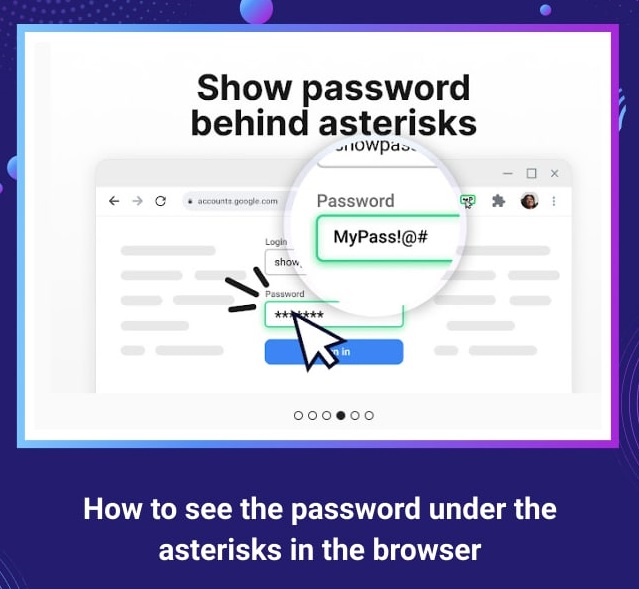
How to see the password under the asterisks in the browser


 How to see the password under the asterisks in the browser

Once you save the password to access the site, it becomes available for later quick login. This is convenient, because sometimes we need to log in to a resource from another device, and the password has already slipped our mind. Fortunately (or not) we can see our password. For the Chrome browser, you need to open the settings and go to Autofill. Click on Passwords. A list of sites with saved passwords will appear at the bottom. Click on the eye icon to view it. Similar settings can be found in other browsers. There is also a Show Password extension for Chrome. Once installed, you can choose how you want to view the hidden password (mouseover, double-click, or other). https://chrome.google.com/webstore/detail/show-password/ahlkbflifcnfejklnpbgelhdenahlhon

How to open sites blocked in your country on iOS.


 How to open sites blocked in your country on iOS.

One way is to change the DNS (Domain Name System). To do this, you can use a simple application like 1.1.1.1 How it works: 🔺 Download app 1.1.1.1 from Cloudflare and open it. 🔺Click "Install VPN profile" > "Allow" and authenticate. 🔺 Click the big button to connect. 🔺Open the blocked site in Safari and it should load like everyone else. To disable the service, open app 1.1.1.1, press the big button again and select "Disable".

Clear the Windows 10 network drive cache


 Clear the Windows 10 network drive cache

Network drives are used to access data on your local network stored on another computer. When you connect and access data on your computer, a cache of the network drive is created for fast processing of the next requests to it. To delete the cache, open a command line as an administrator and run the command net use Z: /delete, where Z is the letter of the network drive. If you have several network drives, replace the letter with asterisks without colons: net use * /delete. Next, press WIN + R and run regedit to open the Registry Editor. Navigate to the path: ComputerHKEY_CURRENT_USERSOFTWAREMicrosoftWindowsCurrentVersionExplorer. Delete the MountPoints2 partition. Open Windows Explorer. If a network drive shortcut is present, click on it and choose Remove from Quick Access Toolbar from the menu.
1

Monday, 5 May 2025

3 tricks to make it easier to find information on Google.


3 tricks to make it easier to find information on Google.

There are dozens of combinations and tricks to google more effectively. But these 3 are some of the most important. And they're easy to remember: 1️⃣ To exclude a word from search results, put a "-" in front of it. For example, "-black cats." So Google will exclude all black felines from the results. 2️⃣ If you can't find a specific word for a query, just add an "*" sign instead. For example, for the query "best * on programming" Google will give you links to books, courses, movies and articles on programming. 3️⃣ To find a file type (jpg, pdf, txt), type "filetype:" in the search box and after a colon, type the file type and keywords. This is usually how you search for books. For example, the query "filetype:pdf The Old Man and the Sea" will instantly find the iconic novel in .pdf format.
1
1

Monday, 28 April 2025

Quickly share large files


Quickly share large files transferfile.io is a free decentralized file sharing service that encrypts your files on the client side. The service requires no registration and allows you to share files up to 32GB. To use it, simply transfer your files to a field on the site. If necessary, check the Encrypt with password to set a password for the download. Click Share and copy the link and send it to the right person. https://www.transferfile.io/


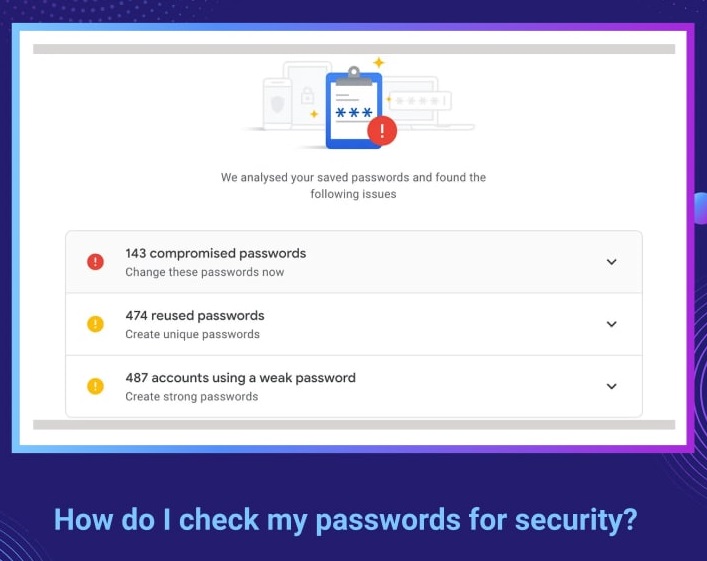
How do I check my passwords for security?


How do I check my passwords for security? Chrome has a handy password-saving feature that makes logging in to sites a lot easier. But this feature has a serious drawback: your data may be leaked and stolen. To prevent this unfortunate outcome, you should check your passwords from time to time for reliability. 1. Go to Chrome, open "Settings," scroll down a bit, and click "Passwords." 2. Select "Verify passwords." This will open another page and run a scan for every password you've saved. 3. Tap "Change Password" in case the scan detects a data leak.


Saturday, 26 April 2025

How to hide your history and account data in Google Chrome from prying eyes.


How to hide your history and account data in Google Chrome from prying eyes.

This can be done with the help of an extension from Google - LockPW: 🔺Install the extension. 🔺After inserting the text chrome://extensions/ in the address bar 🔺Click on "More" under the new extension and activate the "Allow incognito use" option. 🔺 Click on the lock icon in front of the address bar and go to "Settings". There is a form for the access code on the right side of the screen. Enter the desired password in the first two fields. 🔺 Click "Save" to apply the settings. https://chrome.google.com/webstore/detail/lockpw/kjcloihghgncbdkaafgkckbokjnehfmo